Portable projectors have changed how we watch movies, and the Nebula Capsule 3 sits near the top of that list. This soda can sized device promises a full home theater experience anywhere you go. But does it actually deliver in 2026?
I spent weeks testing this projector in different rooms, backyards, and even on a camping trip. The results surprised me in both good and bad ways. From its Google TV interface to its battery life, every feature has its strengths and quirks.
This review breaks down everything you need to know before buying. You will learn about picture quality, sound, smart features, and how it compares to newer rivals. By the end, you will know if the Capsule 3 fits your lifestyle or if another option suits you better.
In a Nutshell
- Compact and portable: The Capsule 3 weighs just over a pound and fits in any backpack, making it the most travel friendly projector in its class.
- Bright enough for dark rooms: At 200 ANSI lumens, it works great indoors at night but struggles in daylight or partially lit spaces.
- Full HD picture: You get sharp 1920×1080 resolution with auto focus and auto keystone correction for quick setup.
- Google TV built in: Stream Netflix, YouTube, Disney Plus, and thousands of apps without extra devices, thanks to official Netflix licensing.
- Decent battery life: Expect around 2.5 hours of video playback, which covers most movies on a single charge.
- Solid sound: The 8W speaker delivers clear audio with Dolby Digital support, though bass is limited.
What Is the Nebula Capsule 3?

- Super-Sized Screen, Portable Design: Capsule 3 is an all-new ultra-portable Google TV projector licensed by Netflix.
- Take the Big Screen Anywhere: With a max screen size of 120 inches, Capsule 3 delivers a cinema-level experience you can take...
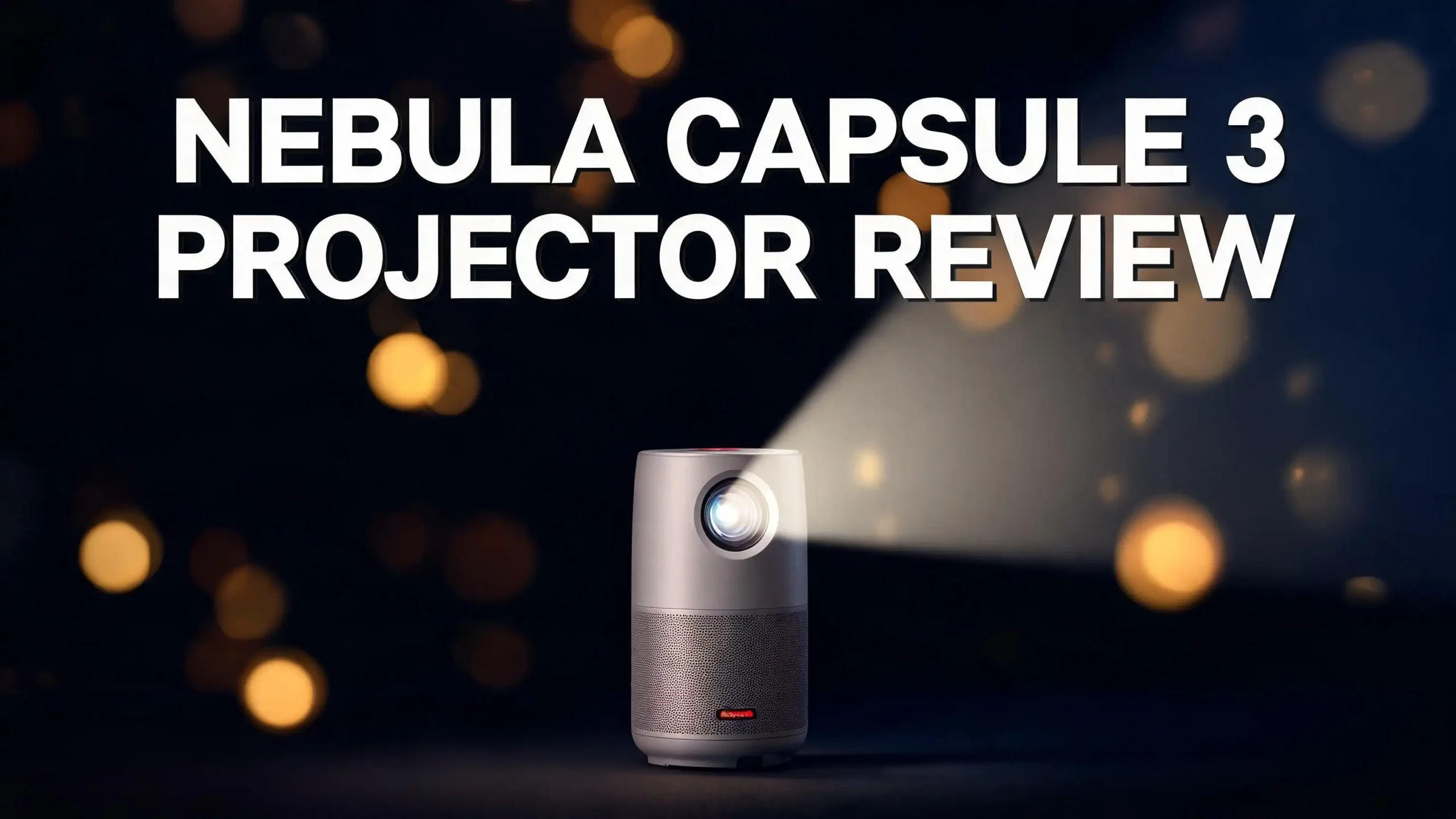
The Nebula Capsule 3 is a portable smart projector made by Anker. It looks like a tall soda can and weighs around 1.6 pounds. You can carry it in one hand or drop it in a bag without noticing the weight.
It uses DLP projection technology combined with an LED light source. This gives you a 30,000 hour lamp life, which means it will likely outlast the device itself. The projector throws an image up to 120 inches in size.
What makes it different from older Capsule models is the Google TV integration. You get a real smart TV experience built right in. No need for a Fire Stick, Chromecast, or Roku.


The device also comes with autofocus, auto keystone correction, and obstacle avoidance. These features make setup take just seconds. Place the projector on any surface, point it at a wall, and the image adjusts itself.
Design and Build Quality
The Capsule 3 has a clean cylindrical design with a soft fabric finish on the body. It measures about 6.7 inches tall and 3.3 inches wide. The build feels premium without being heavy.
On top, you find a touch sensitive control panel. The bottom has a standard tripod mount, which is a game changer for portable use. You can attach it to any camera tripod for better positioning.
The front houses the lens with a small flip out cover for protection. The back has the ports, including HDMI, USB C for charging, and a 3.5mm audio jack. Power and focus controls sit on the side.
The included remote is small and well laid out. It has a dedicated Google Assistant button and direct keys for Netflix, YouTube, and Prime Video. The build quality of the remote matches the projector itself.
Color options are limited to a single dark grey finish. Some users may want more variety, but the neutral look fits any room. The device feels durable enough for regular travel use.
Picture Quality and Brightness
The Capsule 3 delivers a native 1080p Full HD image that looks sharp in dark rooms. Colors appear vibrant with good saturation, and skin tones look natural. Black levels are decent for an LED projector of this size.
The 200 ANSI lumens brightness is the main limitation. In a fully dark room, the image looks bright and clear up to about 80 inches. Push beyond that and the picture starts losing punch.
For outdoor use, wait until full nightfall for the best experience. Any ambient light washes out the picture quickly. This is normal for portable projectors but worth remembering.
HDR10 support is included, though it does not have the same impact as on brighter projectors. The contrast ratio is rated at 400:1, which is modest but acceptable for the size. Motion handling is smooth with no major judder issues.
The autofocus works fast and rarely needs manual adjustment. Auto keystone correction handles up to 40 degrees of angle, so you can place the projector almost anywhere. The picture stays square and properly aligned without effort.
Sound Performance and Audio Features
The Capsule 3 has a single 8W speaker built into the bottom of the device. It fires sound in a 360 degree pattern, similar to a portable Bluetooth speaker. The audio quality is surprisingly good for such a small unit.


Dialogue comes through clear and easy to understand. Mid range frequencies sound balanced, and the speaker can fill a small to medium room. Dolby Digital decoding ensures movies sound the way directors intended.
Bass response is the weakest part, as expected from a device this size. Action scenes lack the rumble you get from larger speakers. For most casual viewing, however, the sound is more than adequate.
You can use the Capsule 3 as a standalone Bluetooth speaker when not projecting. Just switch to speaker mode and connect your phone. This doubles the value of the device for parties or background music.
For better audio, connect Bluetooth headphones or external speakers via the 3.5mm jack. The HDMI ARC support means you can also link it to a soundbar. Lip sync stays accurate across all output methods.
Smart Features and Google TV Experience
The Google TV interface is one of the biggest upgrades on the Capsule 3. It runs the same operating system you find on Chromecast with Google TV devices. The menus feel snappy and responsive.
You get official Netflix support built right in, which is rare for portable projectors. Other apps like YouTube, Prime Video, Disney Plus, HBO Max, and Hulu install directly from the Google Play Store. Over 7000 apps work on the device.
Voice control through Google Assistant lets you search content, change settings, or control smart home devices. Just press the mic button on the remote and speak. The response time is quick and accuracy is high.
Top 3 Alternatives for Nebula Capsule 3
If the Capsule 3 does not seem like the right fit, here are three strong options worth checking out.

- Take the Big Screen Anywhere: This portable Google TV projector lets you watch all of your favorite content and...
- Jaw-Dropping Display: Enjoy a truly cinematic experience with rich detail and high clarity thanks to the 1080P HDR display...

- Stream Google TV and Netflix Favorites: Watch the hottest new shows and blockbuster hits right from MoGo 3 Pro. No...
- Stunning Imagery in Any Setting: Experience vibrant, TV-quality visuals anywhere. Featuring 450 ISO Lumens brightness...

- Laser Engine to Illuminate Your World: Experience vibrant visuals with this laser projector, featuring a laser light source...
- Travel Light, Project Big: At just 2 lb (900 g) and 90% smaller than others with similar brightness, NEBULA Capsule 3 Laser...
The Nebula Mars 3 Air offers double the brightness at 400 ANSI lumens with the same Google TV experience. The XGIMI MoGo 3 Pro brings 450 ISO lumens and a unique adjustable stand. The Nebula Capsule 3 Laser uses laser technology for sharper images and higher brightness in a slightly larger body.
Connectivity Options
The Capsule 3 covers all the main connectivity bases. You get WiFi 5 (802.11ac) for fast streaming, which handles 4K video downloads smoothly. The dual band support reduces buffering on busy networks.
Bluetooth 5.0 lets you connect headphones, speakers, and game controllers. The pairing process takes seconds, and the connection stays stable across the room. You can connect two Bluetooth devices at the same time.
Wired connections include one HDMI port for game consoles, laptops, or streaming sticks. The USB C port handles both charging and data, which is useful for playing media from flash drives. A 3.5mm jack covers older audio gear.
Screen mirroring works with both Android and iOS devices. AirPlay support means iPhone users can cast videos without extra apps. Chromecast functionality is built in for Android phones and Chrome browsers.
The included USB C charger uses PD fast charging to fill the battery in about 2.5 hours. You can also charge the projector with a power bank that supports PD output. This adds even more flexibility for outdoor use.
Battery Life and Power
The internal 52Wh battery delivers up to 2.5 hours of video playback at standard brightness. Real world testing shows this drops to about 2 hours during heavy use with WiFi streaming. Most movies fit comfortably in this window.
Eco mode extends runtime to nearly 3 hours by reducing brightness. This works well for animated content or shows where peak brightness is not critical. Battery management is handled automatically based on content type.
You can use the Capsule 3 as a Bluetooth speaker for up to 10 hours on a single charge. This makes it a true multipurpose device for trips. The transition between projector mode and speaker mode happens instantly.
Charging takes around 2.5 hours with the included 30W charger. Faster chargers do not speed this up since the device caps input at 30W. The USB C port follows standard PD protocols, so any compatible charger works.
The battery is not user replaceable, but Anker rates it for 500 full charge cycles before noticeable capacity loss. This translates to several years of regular use. For most owners, the battery will last as long as the projector itself.
Setup and Ease of Use
Setting up the Capsule 3 takes less than five minutes from unboxing. Power it on, connect to WiFi, sign in to your Google account, and you are ready to stream. The Google TV setup wizard guides you through every step.
The autofocus kicks in within two seconds of pointing the projector at a wall. Auto keystone correction handles angled placement, so you do not need a perfectly straight setup. Obstacle avoidance stops the image from projecting onto unwanted objects.
The remote pairs automatically during first time setup. You can also control the projector through the Nebula Connect app on your phone. The app adds extra features like advanced settings and screen mirroring controls.
Voice search makes finding content fast. Say what you want to watch, and Google TV pulls results across all your installed apps. Content recommendations get smarter over time as the system learns your preferences.
The interface stays the same as your other Google TV devices. If you have used a Chromecast with Google TV, you already know how this works. Family members can switch profiles for personalized recommendations.
Real World Testing in Different Environments
I tested the Capsule 3 in five different settings to see how it performs. In a dark bedroom, the image looked stunning at around 80 inches on a white wall. Movies and shows played without any visible issues.
A living room with dim lights also worked well. The colors stayed punchy and the image was clearly visible. I projected at about 70 inches and the picture quality was great for casual family viewing.
In a backyard at night, the Capsule 3 created a fun outdoor movie experience. I set it up on a tripod with a portable screen, and the image quality matched indoor performance. The battery lasted through a full movie with room to spare.
A camping trip test showed the Capsule 3 at its best. I projected onto the side of a tent and watched a movie under the stars. The portability and battery made it perfect for this use case.
The office presentation test was the weakest result. Daytime ambient light washed out the image, even with curtains drawn. For business use during the day, you need a brighter projector or full blackout conditions.
Gaming Performance
The Capsule 3 can handle casual gaming, though it is not built for competitive players. Input lag measures around 45ms, which is fine for single player games and party titles. Fast paced shooters may feel slightly sluggish.
Console connection through HDMI works smoothly. Nintendo Switch, PlayStation, and Xbox all play nicely with the device. The 1080p output matches most current console standards for portable mode gaming.
Cloud gaming through services like GeForce Now and Xbox Cloud Gaming runs directly on the device. No console needed, just a controller and a good WiFi connection. The Google TV app store has both these services preinstalled.
Picture mode includes a game preset that reduces processing for lower latency. Color accuracy stays good in this mode, with only minor reductions in image processing. The sound mode also adjusts to emphasize game audio cues.
Local multiplayer party games work well thanks to the large screen size. Games like Mario Party or Jackbox become more fun when projected on a wall. The Capsule 3 turns any room into a gaming lounge in minutes.
Pros and Cons of the Nebula Capsule 3
Every product has strengths and weaknesses, and the Capsule 3 is no exception.
The biggest pros include its ultra portable size, excellent Google TV integration, easy setup with autofocus and auto keystone, official Netflix support without workarounds, and a 360 degree speaker that doubles as a Bluetooth speaker. The build quality also feels premium for the price.
The main cons are the limited 200 ANSI lumens brightness, which restricts use to dark environments. The battery life of 2.5 hours may not cover longer movies or back to back episodes. The single speaker, while good, lacks the bass of stereo setups.
Price is another consideration. The Capsule 3 sits at a higher price point than some competitors with similar or better specs. However, the combination of size, smart features, and brand support justifies the cost for many buyers.
The lack of zoom function means you adjust image size by moving the projector itself. This is normal for compact projectors but takes some getting used to. Manual focus is also missing, so you rely entirely on the autofocus system.
Overall, the pros outweigh the cons for most users who want a truly portable smart projector. Just go in with realistic expectations about brightness and battery life.
Who Should Buy the Nebula Capsule 3?
The Capsule 3 fits specific user types better than others. Frequent travelers will love how easily it slips into a carry on bag. Hotel rooms become instant theaters with this device.
Apartment dwellers with limited space benefit from a projector they can store in a drawer. No permanent ceiling mount or wall setup needed. Just pull it out when you want to watch something big.
Campers and outdoor enthusiasts get tremendous value from the built in battery and Google TV. Movie nights under the stars become simple to set up. The Bluetooth speaker mode adds even more outdoor utility.
Casual movie watchers who do not need 4K or maximum brightness will be happy. The Capsule 3 handles all major streaming services without extra hardware. Setup takes seconds, which encourages more frequent use.
Gamers seeking maximum performance should look elsewhere. Same goes for users who want bright daytime viewing or 4K resolution. For these needs, larger and brighter projectors offer more value despite their bulk.
Price and Value
The Nebula Capsule 3 launched at around $549 and now often sells for less during sales. At full price, it competes with several other portable projectors with mixed value propositions. During discounts, it becomes a clear winner in the portable smart projector space.
Compared to buying a separate projector and streaming stick, the all in one approach saves money. You skip the cost of a Chromecast or Fire Stick, plus the hassle of extra cables. The integrated design also looks cleaner.
The included accessories are basic but functional. You get a power adapter, USB C cable, and the remote. Some users wish a carrying case came in the box, since the device clearly invites travel use.
Warranty coverage runs for 18 months in most regions, which is longer than the industry standard. Anker customer support has a strong reputation for handling issues quickly. Replacement parts and repairs are reasonable when needed.
For the features and portability you get, the Capsule 3 offers solid value. It is not the cheapest option, but it is one of the most polished. The smart features alone justify a higher price for many buyers.
Frequently Asked Questions
Is the Nebula Capsule 3 bright enough for outdoor use?
The Capsule 3 works well outdoors only after dark. With 200 ANSI lumens, it needs full nighttime conditions for the best picture. Twilight or street light interference will wash out the image significantly.
Does the Nebula Capsule 3 support 4K resolution?
No, the Capsule 3 has a native 1080p resolution. It can accept 4K input signals and downscale them, but it cannot display true 4K. For 4K projection, look at larger models like the Nebula Cosmos series.
Can I use the Nebula Capsule 3 without WiFi?
Yes, you can use it without WiFi by connecting devices through HDMI or USB. However, most smart features and apps require an internet connection. You can download some Netflix content for offline viewing when WiFi is available.
How long does the Nebula Capsule 3 battery last?
Battery life ranges from 2 to 2.5 hours of video playback in standard mode. Eco mode extends this to nearly 3 hours. As a Bluetooth speaker only, it can run for up to 10 hours per charge.
Does it come with Netflix preinstalled?
Yes, the Capsule 3 has official Netflix support built in. This is a licensed integration, not a workaround. Sign in with your Netflix account and stream directly without any extra steps or sideloading.
Can the projector charge from a power bank?
Yes, any USB C power bank with PD output can charge the Capsule 3. A 30W or higher power bank charges fastest, but lower wattage options work for trickle charging during use. This adds great flexibility for travel.
Is the Nebula Capsule 3 the same as the Capsule 3 Laser?
No, they are different models. The standard Capsule 3 uses LED technology with 200 ANSI lumens. The Capsule 3 Laser uses laser technology with 300 ANSI lumens and offers sharper images, but at a higher price.
Does it work with iPhone and Android phones?
Yes, the Capsule 3 supports both. iPhone users get AirPlay support, while Android users have native Chromecast functionality. Screen mirroring works smoothly with both platforms over WiFi.
Last update on 2026-05-20 / Affiliate links / Images from Amazon Product Advertising API. Some of the links on this website are affiliate links, which means that at no additional cost to you, I earn a commission if you click through and make a purchase. I only recommend products and services that I believe will add value to my readers. Thank you for your support!